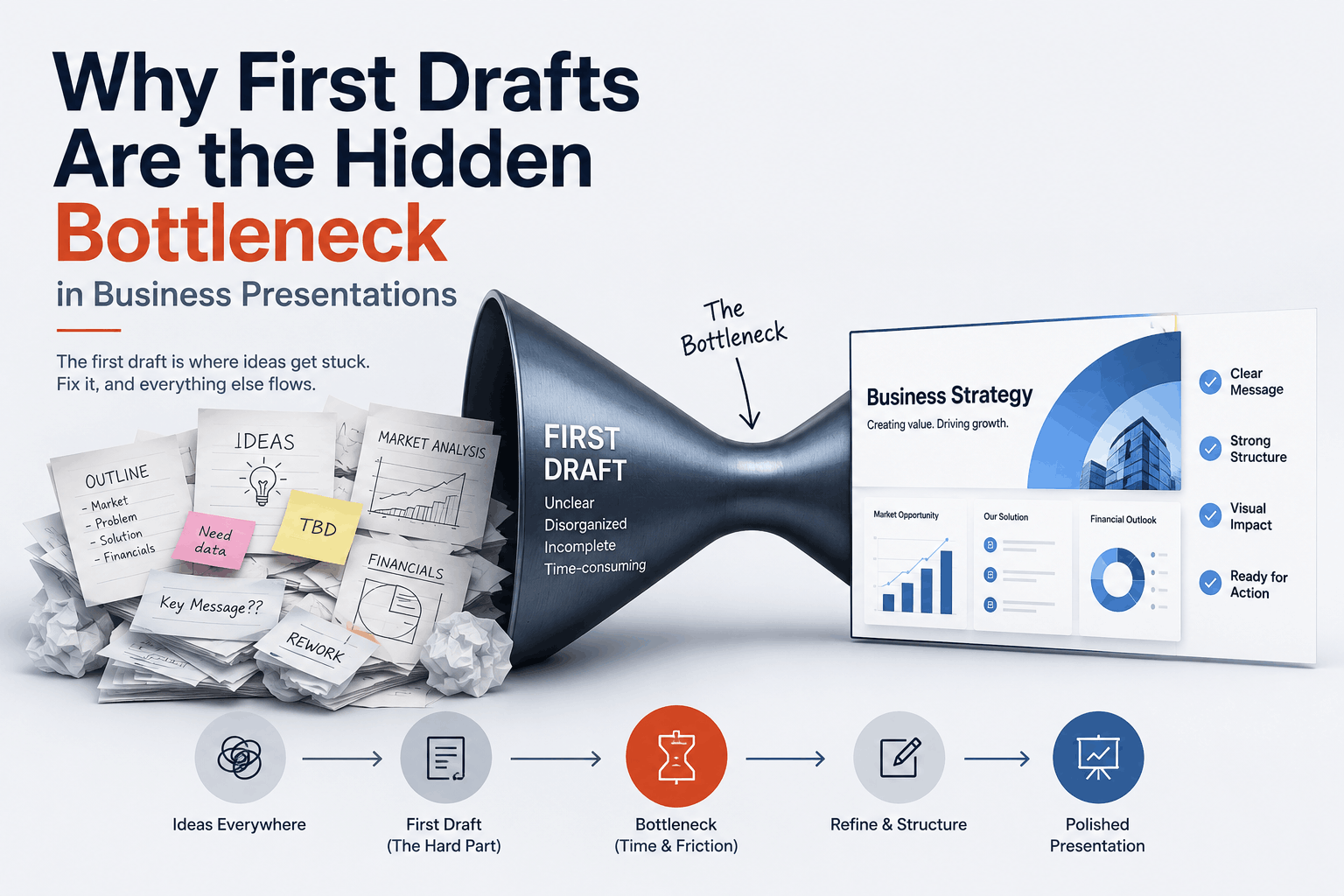
Why First Drafts Are the Hidden Bottleneck in Business Presentations
Ask anyone who builds presentations regularly, and they’ll tell you the same thing. The hardest part is not the design. It is not even the content. It is getting started. A blank slide has a way of stopping smart, capable people completely, and the time lost staring at it rarely gets counted as a real bottleneck, even though it is.
Teams that us this tool to generate an initial slide structure report the same thing consistently: once something exists to react to, the rest moves faster. The blank slide problem disappears. What replaces it is an actual working session.
Why Starting From a Blank Slide Slows Teams Down
There is something specific about the blank slide that makes it hard. It asks you to make too many decisions at once: what goes first, how many slides, what the through-line is, and what the audience actually needs to walk away knowing. None of those questions has an obvious answer before you start. So most people just freeze.
The workaround is usually one of two things. Either the presenter grabs a template they have used before and forces the new content into it. Or they start typing bullet points into a document and figure the slide structure out later. Both approaches work eventually. Neither is efficient. And the output often reflects the process — a deck that feels assembled rather than designed.
The bottleneck is not a skills problem. It is a starting-point problem.
The Difference Between a Rough Draft and a Weak Deck
This distinction matters. A rough draft is something imperfect that is heading in the right direction. A weak deck is something polished that was built on the wrong foundation. One of them is fixable. The other often gets delivered anyway because no one caught the problem early enough.
The most common foundation problem in business presentations is structure. Specifically:
- The narrative logic is unclear — slides do not build on each other
- The audience and their actual question are not defined before slide one is written
- The presentation leads with information instead of with what the audience cares about
- The conclusion arrives without being set up by anything that came before it
A rough draft can have all of these problems and still be useful because a draft is a conversation. You can see what is wrong and fix it. What a rough draft gives you is a presentation workflow: something to move through, react to, and improve. That’s where the real thinking happens.
How to Build a Clear Presentation Flow Before Design Starts
The most reliable way to avoid structural problems is to sort out the narrative before a single slide is designed. That sounds obvious. In practice, most teams skip it because they are in a hurry and designing feels like progress.
A simple framework that works:
- Write one sentence that describes what you want the audience to do or believe after the presentation. Everything else should point toward that.
- List the three to five things the audience needs to understand to get there. These become your sections.
- Identify the objection or question that lives inside each section. Your slides should answer those questions, not just state the content.
- Decide what comes last before the close. The final section before a conclusion or call to action carries disproportionate weight. Make sure it earns it.
Doing this on paper or in a document — before opening any presentation software — consistently produces better presentation narratives than designing first and structuring later.
Using AI to Create a Starting Point, Not a Final Product
A slides AI generator is most useful when treated as a drafting tool, not as a finished-product machine. Feed it a clear brief — the topic, the audience, the goal, the key points — and it produces a structured outline you can react to immediately. The blank slide problem disappears.
What an AI presentation maker does well:
- Proposes a logical slide sequence based on your input
- Distributes content across slides without leaving everything in one block
- Applies consistent formatting through presentation templates automatically
- Generates multiple structural options quickly when you are not sure which approach fits best
What it does not do is make judgment calls. It does not know that your audience already understands the background and does not need three slides of context. It does not know which data point is the one that will land. Those decisions belong to the person building the deck.
The right framing is this: use an AI PowerPoint generator to eliminate the blank slide problem and get to a working draft quickly. Then use your own knowledge of the audience and the material to make it actually good.
How to Review and Improve an AI-Generated Draft
Generated drafts need editing. That is not a criticism of the tools — it is just how drafts work. The review pass is where a draft created by a slideshow-generator AI becomes a real presentation.
A few things to check on every generated deck:
- Does the first slide tell the audience why they should keep watching? If not, rewrite it until it does.
- Is every slide doing one thing? Slides that try to cover two or three ideas at once dilute both. Split them or cut one.
- Does the sequence feel inevitable? Read the slide titles in order. They should tell a coherent story on their own.
- Is there anything the audience already knows? Cut it. Context slides eat time that could go toward the argument.
- Does the last slide earn its place? The close should feel like the natural conclusion of everything that came before, not bolted on at the end.
The combination of AI tools and human editorial judgment is where the real efficiency gains lie. Neither one alone produces the best result. Together, they get you there faster than either approach on its own and with a business presentation structure that actually holds up when it matters.